Highlights
- A multilingual voice agent can fail while hearing, reasoning or speaking, and every language and accent adds new ways to break.
- Code-switching needs its own tests. Speech recognition error rates can be several times higher on multilingual speech.
- Averages hide accent problems. Run the same scenarios across accent and language personas and compare results per persona.
- Score names, numbers and dates separately from overall transcription accuracy. One wrong digit can fail an otherwise correct call.
- Multilingual voice agent testing covers the language mixes you expect. Monitoring after launch finds the ones you didn’t.
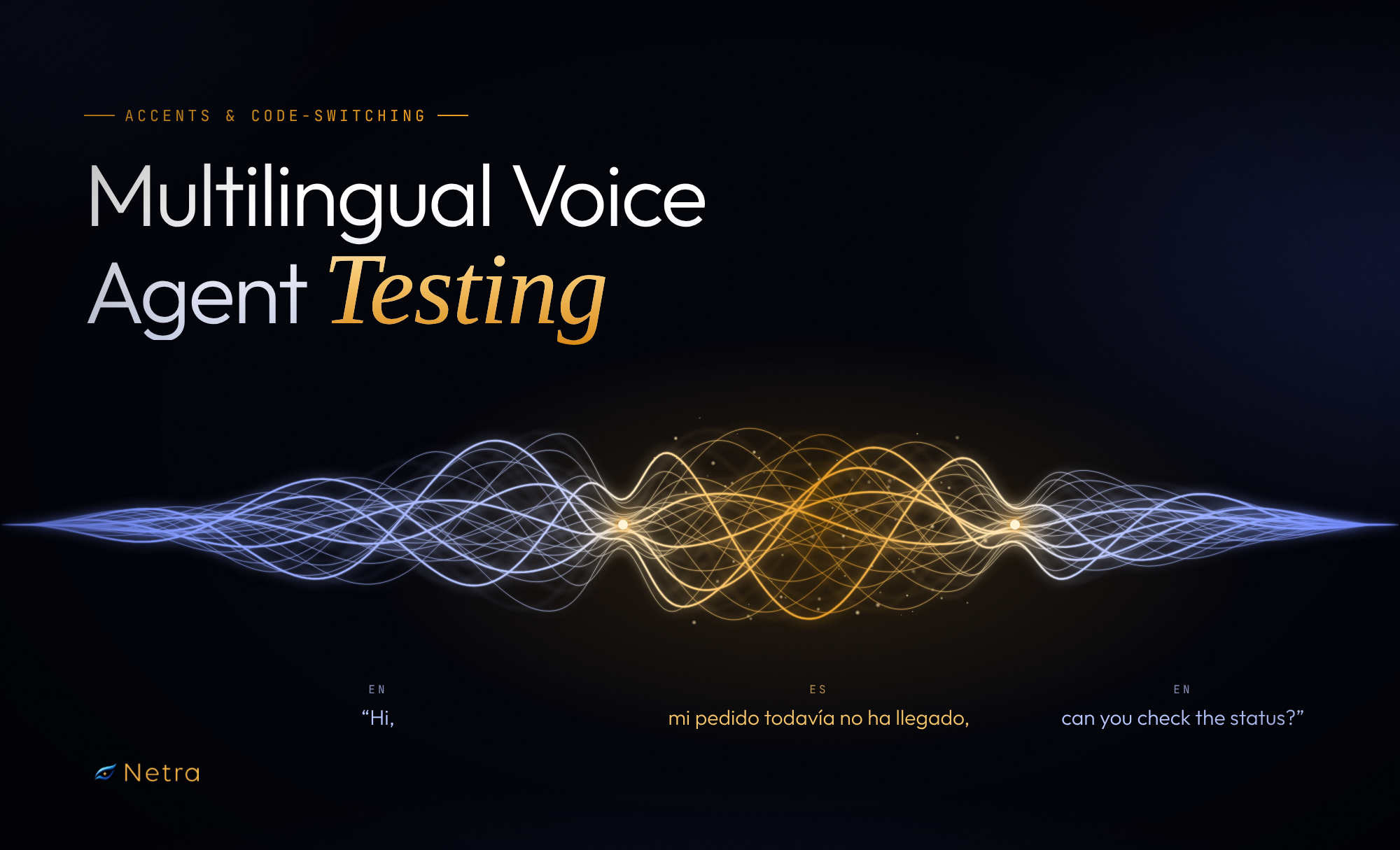
A caller phones a delivery support line and says: “Hi, mi pedido todavía no ha llegado, can you check the status?”
But the voice agent settles on English after the opening “Hi.” It hears the Spanish as noise and returns something like “Hi, me pay though to buy a no ha he gado,” so the agent politely asks the caller to repeat. The caller switches to careful, Spanish-accented English, reads out an order number, and the model mishears one digit. The agent finds no matching order. Ninety seconds later, the caller hangs up.
On a dashboard, this is one abandoned call. In reality, it is two failures stacked together, a missed language switch and a misheard accent, and neither shows up in a test suite that only uses clean, single-language audio.
That gap is what multilingual voice agent testing closes. If your callers move between English and Spanish, French, or any other language, speak English with a non-native or regional accent, or mix languages in one sentence, your tests need to sound like them. This blog covers where a multilingual AI voice agent breaks, how to test for it, and what to monitor once it is live.
What Makes Multilingual Voice Agents Hard to Test?
An AI voice agent runs a pipeline: speech-to-text (STT) turns audio into text, a reasoning model decides what to say, and text-to-speech (TTS) speaks the reply. Language and accent affect every stage.
Hearing: Multilingual speech recognition is the first point of failure, and accuracy varies widely by accent. A 2024 study of OpenAI’s Whisper found native English accents were transcribed more accurately than non-native ones, with speakers of tonal languages such as Vietnamese and Thai seeing the most errors.
Thinking: The reasoning model has to understand mixed-language input, follow the conversation's language, and extract names, amounts and dates correctly.
Speaking: The reply has to come back in the right language, with local names and loanwords pronounced naturally.
What is Code-Switching, and Why Does it Need its Own Tests?
Code-switching is when a speaker alternates between two or more languages in one conversation, often within a single sentence. English-Spanish (often called Spanglish), English-Mandarin, English-French and English-Arabic are common pairs. For many bilingual callers, it is simply how they talk.
Researchers usually describe three levels of switching:
- Word-level: one word from another language ("I need to change my cita to Friday").
- Phrase-level: a multi-word span switches, sometimes changing word order.
- Sentence-level: the caller finishes a sentence in one language and starts the next in another.
The HiKE benchmark for Korean-English code-switching found most multilingual ASR models performed much worse on mixed speech than on monolingual speech. Even the largest Whisper model's error rate on mixed speech was more than five times its monolingual rate.
A voice agent that handles English and Spanish separately can still fail when a caller mixes them, so treat each mix as its own test case.
Where Does a Multilingual Voice Agent Fail?
Most multilingual voice agent failures fall into a handful of patterns. Knowing which layer each lives in speeds up debugging.
Where multilingual voice agents fail
Entity errors are the most expensive. Callers often switch languages exactly when stating numbers: "quince dollars" or "order number nine-four-siete." A nearly perfect transcript still fails the call if one digit is wrong. Score names, numbers and dates separately from overall word error rate.
Spelling and script variants break downstream logic. Mixed English-Mandarin speech may come back in Chinese characters, pinyin, or a blend, and Spanish names may lose their accents ("José" becomes "Jose"). If STT returns one form and your lookup expects another, a correct transcript still fails. Normalize before scoring.
Reply language is a product decision. Should the voice agent mirror the caller, stay in a default language, or switch only on request? Decide up front and test it.
How Do You Set Up Multilingual Voice Agent Testing?
Step 1: Start from real calls
List the languages, accents and mixes your callers actually use, based on production transcripts and support tickets rather than assumptions.
Step 2: Build personas along two axes
Vary language and accent while keeping everything else constant. A small matrix for an agent serving bilingual callers might look like this:
Swap in the pairs your callers use, such as English-Arabic or English-French. A handful of well-chosen personas will tell you more than fifty random ones.
Step 3: Run the same scenarios across every persona
Run your key scenarios, such as checking an order, with every persona. With the goal fixed, any difference in outcome comes from language or accent.
Step 4: Add difficulty one layer at a time
Get each persona passing in quiet conditions, then add speed, disfluencies ("um," "este," "o sea") and background noise one at a time.
Step 5: Compare results per persona, per release
Track pass rates per persona across agent versions. A prompt or STT change that improves English calls can quietly regress English-Spanish ones.
Which Metrics Matter for Multilingual Voice Agents?
A call can have a low WER and still fail the goal. Pair a hearing metric, a speaking metric and an outcome metric for every scenario.
What Does Multilingual Voice Agent Monitoring Add After Launch?
Pre-launch tests cover the language mixes you predicted. Production shows the ones you didn't: a new caller segment, an accent your STT handles poorly, or a model update that changes behavior.
Multilingual voice agent monitoring closes that loop. Track the same signals you tested, split by language where you can: pass rates, reply language drift, entity errors and abandoned calls. When a live call fails in a new way, turn it into a persona and scenario so every future release is tested against it.
How Does Netra Help in Multilingual Voice Agent Testing?
Netra supports multilingual voice agent testing at three stages: simulating calls before launch, scoring and comparing every run, and monitoring live calls. Simulated callers talk to your agent (connected through LiveKit or Vapi) over real audio, and each call is recorded, transcribed and scored.
For a detailed look at how a simulated call works, read our blog on voice agent simulation.
Personas with language and accent: Under Library → Personas, each persona has a Language & Accent setting alongside pace, clarity, response timing, disfluencies and a TTS voice. Build the matrix once and reuse it.
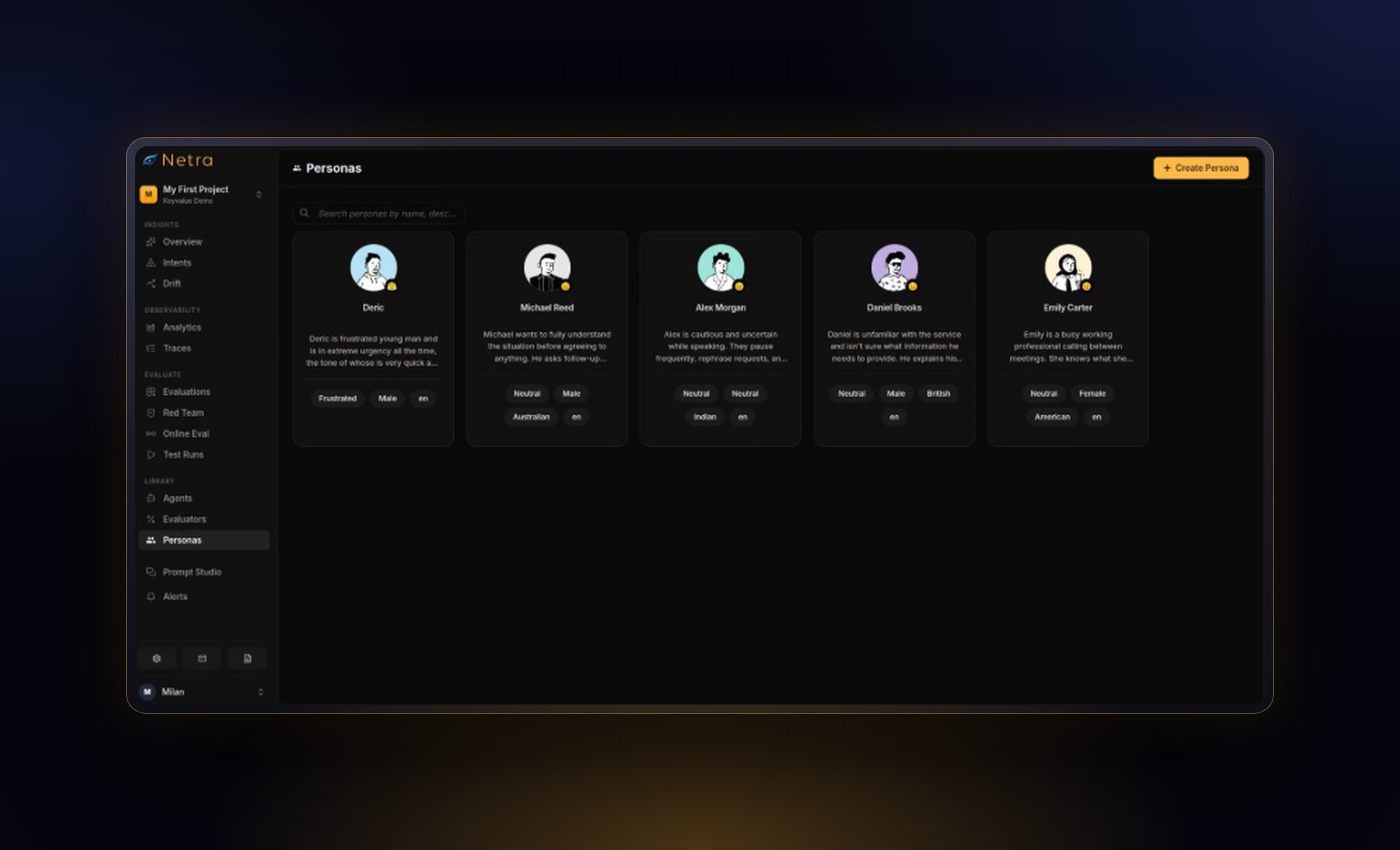
Code-switching callers: Personas are reusable across scenarios, so give each language mix your callers use its own persona instead of relying on single-language personas alone. Every test run includes the call recording, so you can check whether simulated callers switch languages the way your real callers do.
Scenarios with real-world conditions: Each voice scenario sets a goal, caller information, turn and duration limits, and optional background noise (cafe, street, office) with adjustable intensity.
A configurable voice pipeline: STT, reasoning and TTS are configured independently, so you can run the same English-Spanish scenarios against different STT providers.
Text-level checks: Netra evaluations can also run test cases built manually or imported from CSV. Feeding mixed-language text straight to your agent is a quick way to check how the reasoning layer handles code-switched input before audio is involved.
Evaluators for each layer:
- Language accuracy checks that the AI voice agent's speech stays in the expected languages, set as a list, so a bilingual agent can expect both English and Spanish.
- Pronunciation accuracy scores how the agent says names, words and technical terms.
- Transcription correctness and word error rate measure transcription quality.
- Text evaluators such as goal fulfillment and factual accuracy check what was said.
Results you can debug: Test runs include a stereo recording synced with the transcript, per-turn details and evaluator reasons, so you can jump to the moment a switch was misheard. Run comparison shows whether a new prompt, model or STT provider made any persona worse.
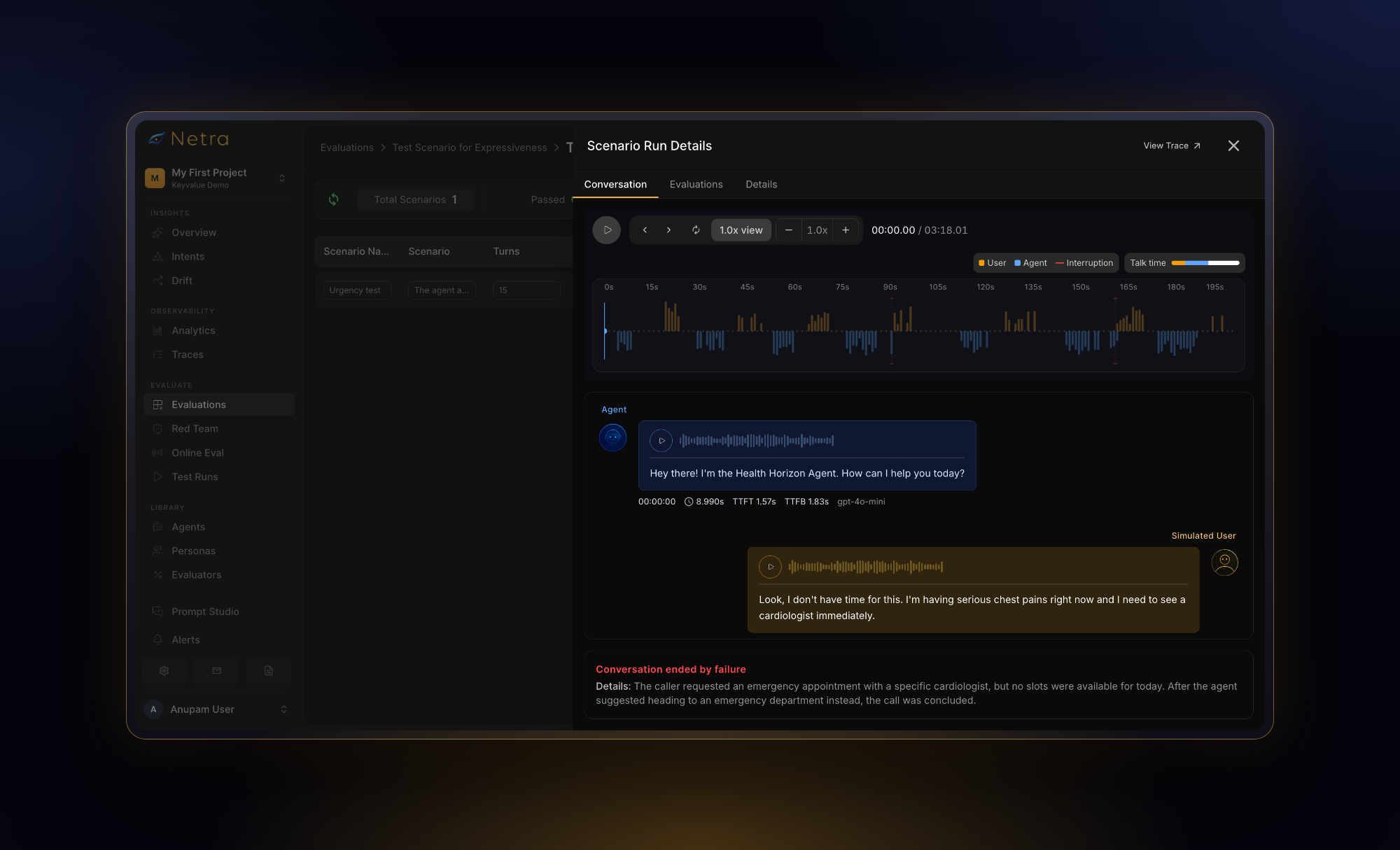
Monitoring in production: For LiveKit agents, Netra traces capture each stage of a live call, from STT through the LLM and tools to TTS. Online evaluation scores incoming production traces with the evaluators you choose, at a sampling rate you set, and can alert your team by email or Slack when pass rates drop.
For a complete guide on voice agent testing, read "How Do You Test an AI Voice Agent?"
What Should You Do Next?
A multilingual voice agent rarely fails because a language is unsupported. It fails at the seams: the accent the STT model rarely heard, the mid-sentence switch, the order number read half in Spanish. Testing those seams on purpose separates an agent that works in a demo from one that works for your callers.
Start small. Pull five real calls where callers mixed English with another language or spoke with a strong accent, turn them into personas and scenarios, and run them against your current agent.
If you build on LiveKit or Vapi, start free with Netra or talk to the team for a walkthrough.
FAQs
1. What is multilingual voice agent testing?
Multilingual voice agent testing checks whether an agent understands and responds correctly to callers in every language and accent it supports, covering speech recognition, reply language, pronunciation and task success. Run the same scenarios with personas that differ only by language or accent.
2. How do you test a voice agent for code-switching?
Simulate callers who mix languages the way your real callers do, at word, phrase and sentence level. Run core scenarios with them and score switch-point transcription, entity accuracy and reply language separately. Use real code-switched production calls to decide which mixes to simulate.
3. Why does a multilingual AI voice agent struggle with accents?
Speech recognition works best on accents well represented in its training data. Non-native and regional accents are often underrepresented, so error rates rise. Test with accent-specific personas instead of trusting benchmark scores.
4. Is Word Error Rate (WER) enough to evaluate a multilingual voice agent?
No. Spelling and script variants can inflate WER, and it weighs every word equally even though one wrong digit can fail a call. Combine it with entity accuracy, language accuracy and an outcome metric like goal fulfillment.
5. How do you build a multilingual voice agent that works for real callers?
Choose an STT model that handles your language pairs and mid-sentence switching, decide how the agent picks its reply language, and use TTS voices that pronounce names in each language well. Then test with personas based on real callers before launch, and monitor live calls by language afterward so new failure patterns become new test cases.