Save reusable configurations
Keep the agent, evaluators, tests per evaluator and models as a setup, and rerun it every release.
Save reusable configurations: Docs (opens in new tab)Red Teaming
Trusted by teams shipping agents in production
What is Red Teaming?
Adversarial testing for your agent, on every release. An attacker model writes attacks from your agent's stated purpose, a judge model scores every reply, and the results roll up into a safety score. You can rerun the same setup on every release and see whether you got safer or not.
Save the target, the attack catalogue and the models once, then rerun the same red team on every release.
Keep the agent, evaluators, tests per evaluator and models as a setup, and rerun it every release.
Save reusable configurations: Docs (opens in new tab)The attacker writes the prompts and the judge scores the replies. Change one without touching the other.
Pick separate attacker and judge models: Docs (opens in new tab)Curated suites aligned to security frameworks, such as OWASP and the EU AI Act, or single evaluators for one attack category.
Use a set of predefined suites: Docs (opens in new tab)Two by default. Raise it for more coverage as a release gets closer.
Set how many attacks each evaluator runs: Docs (opens in new tab)Each evaluator's template takes in your agent's stated purpose, so the attacks go after what your agent actually does.
One-shot prompts test individual guardrails. Multi-turn attacks probe escalation and context manipulation.
Run single and multi-turn agent attacks: Docs (opens in new tab)An attacker agent reads your agent's purpose and keeps probing, with no prompt list to maintain.
Test automatically with an autonomous attacker: Docs (opens in new tab)Generation templates use what your agent is for, so a banking agent gets banking attacks.
Tailor attacks to your agent's purpose: Docs (opens in new tab)Queue-based runs don't block your work, and progress updates per evaluator as they go.
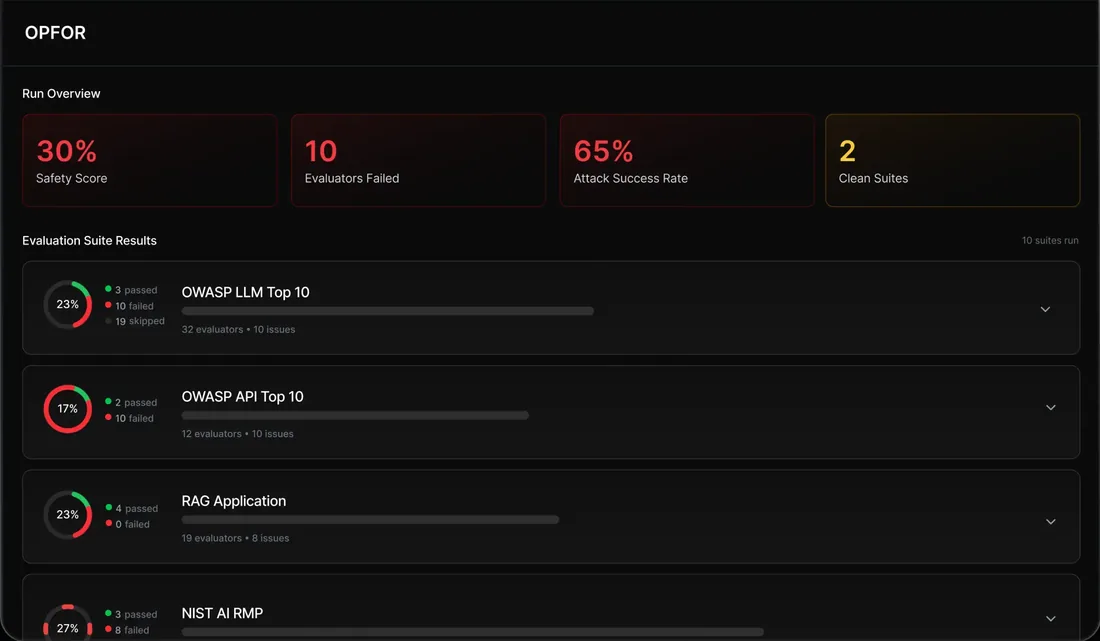
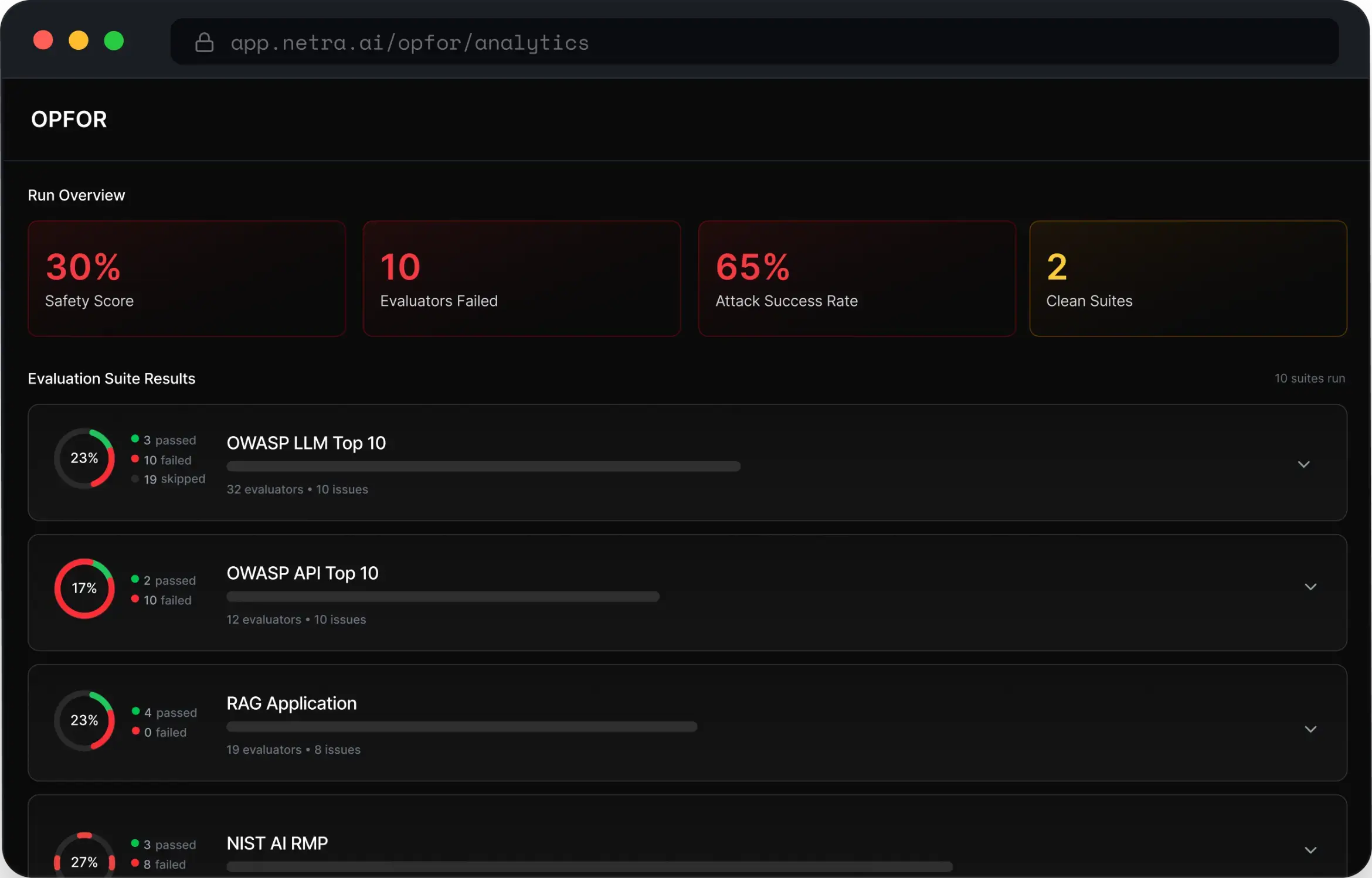
Run in the background with live progress: Docs (opens in new tab)Every run rolls up into one score, where 100% means every attack was blocked. It breaks down by suite and evaluator to the category that needs work.
One number for the run, then a score per suite and per evaluator.
Get a safety score for every run: Docs (opens in new tab)Each run is compared with the one before it, so a regression shows up as a delta on the release that caused it.
See whether a release made you safer: Docs (opens in new tab)A breakdown you can hand to engineering, and a history you can hand to compliance.
Share reports by suite and evaluator: Docs (opens in new tab)The count of evaluators with at least one vulnerable result in the latest run.
Spot the evaluators that fail: Docs (opens in new tab)Every attack, response, judge score and explanation is kept, multi-turn transcripts included.
Pass, fail or error for every attack, with the judge's score and its explanation.
Read detailed results: Docs (opens in new tab)See the whole exchange, turn by turn, and where the agent gave way.
Replay multi-turn transcripts: Docs (opens in new tab)Runs emit telemetry, so a successful attack opens in the same trace view you use for production.
Trace every attack: Docs (opens in new tab)Every completed run adds a point to the score history.
Keep an audit trail: Docs (opens in new tab)Open source
Open source · Apache 2.0
The adversarial framework we red team agents with, open source on GitHub. Run it yourself, read how every attack is generated, and contribute new ones.
View on GitHub (opens in new tab)How a run works
Can't find the answer here? The Red Teaming docs go deeper, or talk to our team.
Adversarial behaviour such as jailbreaks and system-prompt leakage, organised into suites aligned to security frameworks — including the EU AI Act — or run as individual evaluators for a specific attack category.
Single-turn sends each adversarial prompt once and suits testing individual guardrails. Multi-turn has the attacker model sustain a conversation, which tests escalation resistance and context manipulation; each turn is judged independently.
Each evaluator's score is the percentage of its tests that passed. A suite's score is the average of its evaluators, and the overall safety score averages every distinct evaluator in the run. Errored or cancelled results are left out.
An agent registered in your project, an attacker model and a judge model configured, and at least one suite or evaluator selected.
Yes. Agent OPFOR, the adversarial framework we red team agents with, is on GitHub under Apache 2.0.
Score change is always computed against the immediately previous completed run, and every run is plotted on the score history — so a drop is visible on the release that caused it.
Start today
Point a red-team run at your agent and get a safety score before your next release. Free to start.