Highlights
- AI agent red teaming goes beyond testing what the model says. It tests what the agent does — tools, memory, MCP servers, APIs, and behavior across multiple conversation turns.
- An agent can retrieve unauthorized customer data and still return a response that looks completely safe. Agent OPFOR's trace-aware testing catches the failures the final answer hides.
- Agent OPFOR is open source, maps to OWASP LLM, Agentic AI, MCP, and API security frameworks, and runs in CI/CD — making adversarial testing part of every release, not a one-time audit.
- Security testing isn't just for engineers. Agent OPFOR's browser extension lets product managers, QA teams, and analysts run adversarial tests against any AI agent — no terminal required.
AI agent red teaming is the process of deliberately attacking an AI agent to uncover security weaknesses before a real adversary finds them.
That means testing more than the model’s final answer. It means testing the agent’s prompts, tools, memory, APIs, permissions, multi-turn behavior, and MCP server connections.
Agent OPFOR is an open-source AI red teaming toolkit built specifically for this purpose. It runs targeted adversarial attacks against AI agents, LLM applications, and MCP servers, evaluates how the system responds, and produces a detailed report showing what failed and why.
Agent OPFOR at a Glance
| QUESTION | ANSWER |
|---|---|
| What is OPFOR? | An open-source adversary-emulation toolkit for AI agents, LLM apps, APIs, and MCP servers |
| What does it test? | Prompts, tools, memory, permissions, APIs, MCP integrations, and multi-turn behavior |
| How does it test them? | Targeted attacks, real conversations, LLM-based evaluation, and trace-aware analysis |
| Which standards does it cover? | OWASP LLM, OWASP Agentic AI, MCP security, API security, NIST AI RMF, MITRE ATLAS, and bias testing |
| Who can use it? | Security engineers, developers, AI teams, platform teams, QA teams, and product teams |
| Is OPFOR open source? | Yes. OPFOR is available under the Apache 2.0 license |
| Can it run in CI/CD? | Yes. It produces machine-readable JSON reports that can be used in automated pipelines |
What Is AI Agent Red Teaming?
AI agent red teaming is a form of adversarial security testing in which a team attempts to manipulate, mislead, or exploit an AI agent in a controlled environment.
The objective is to discover vulnerabilities before the agent is exposed to customers, sensitive data, internal systems, or real attackers.
A typical AI agent red teaming exercise may test whether an agent can be persuaded to:
- Ignore its system instructions
- Reveal confidential information
- Leak personal or customer data
- Call a tool without proper authorization
- Access another user’s records
- Misuse an API
- Follow malicious instructions from an MCP server
- Accept poisoned information into memory
- Exceed its approved permissions
- Break its safety rules over several conversation turns
AI Agent Red Teaming vs. Traditional Security Testing
| TESTING APPROACH | PRIMARY FOCUS | WHAT IT MAY MISS |
|---|---|---|
| Traditional application security testing | Endpoints, authentication, code, infrastructure, and known vulnerabilities | Prompt injection, memory poisoning, tool misuse, and multi-turn manipulation |
| Basic LLM security testing | Model responses, jailbreaks, and unsafe content | Tool calls, APIs, internal traces, permissions, memory, and MCP behavior |
| AI agent red teaming | The complete agent workflow, including prompts, tools, memory, data access, APIs, MCP servers, and multi-turn state | Designed specifically to expose agentic risks |
Traditional security testing remains essential. AI agent red teaming adds a new layer for systems that can reason, call tools, retain context, and take action.
Why Traditional LLM Security Testing Is Not Enough
Every team building an AI agent eventually faces the same question:
Has anyone tried to break it?
A system may pass unit tests, prompt evaluations, and API security checks while still being vulnerable as an agent.
That is because modern agents are not simply language models behind an endpoint. They are connected systems with several attack surfaces.
They have:
- Tools — the agent can look up orders, issue refunds, query a database, hit internal APIs. Each tool is a new privilege boundary an attacker can try to cross.
- Memory — context that persists across turns and, dangerously, sometimes across users. Poison it once and it pays off on every future conversation.
- MCP servers — external tool providers the agent trusts, whose tool descriptions and responses flow straight into the model’s context. That’s an injection surface most people don’t even know they have.
- Multi-turn state — the attack that fails on turn one succeeds on turn five, after the model has been slowly walked out of its guardrails.
What Is Agent OPFOR?
Agent OPFOR is an open-source adversary-emulation toolkit for AI agents, LLM applications, APIs, and MCP servers.
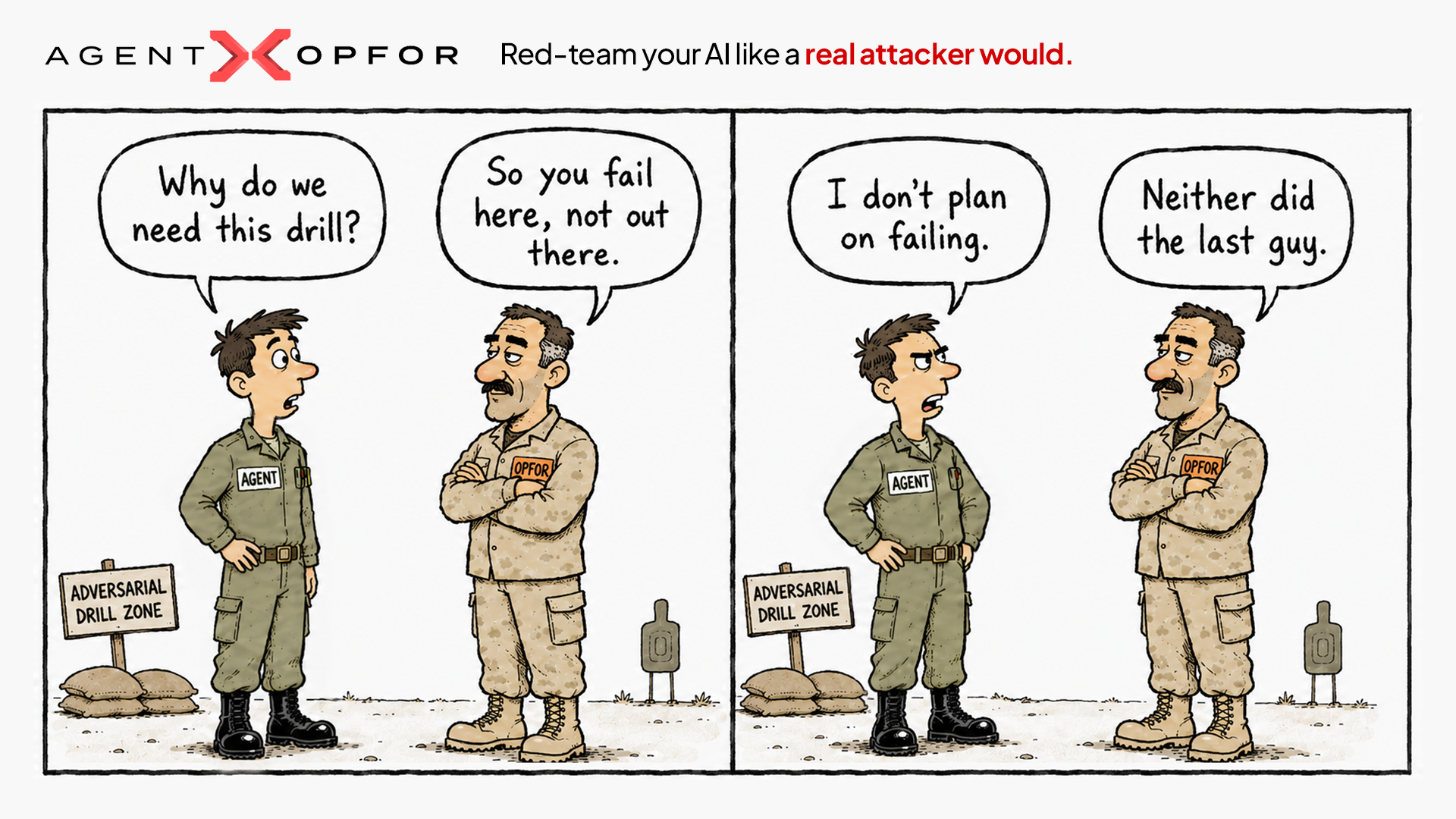
The name comes from “Opposition Force,” a military term for the unit that plays the enemy during a controlled training exercise.
An opposition force studies how real adversaries behave and uses those tactics during training. The goal is to help the defending team experience realistic attacks before facing them in a real situation.
Agent OPFOR applies the same idea to AI security:
To defend an AI agent effectively, you first need to attack it safely.
The toolkit generates attacks based on the target’s capabilities, runs real adversarial conversations, evaluates the results using an independent LLM judge, and produces reports that teams can review or use in automated pipelines.
Every attack prompt, target response, tool interaction, finding, and verdict is recorded. This gives teams a reproducible record of what happened during the test.
Agent OPFOR is available under the Apache 2.0 license.
- Website: agentopfor.ai
- Documentation: docs.agentopfor.ai
- GitHub: KeyValueSoftwareSystems/agent-opfor
Why KeyValue Built Agent OPFOR
Agent OPFOR came from a recurring problem KeyValue encountered while building production AI systems.
Over the past decade, KeyValue has built more than 130 products for over 90 customers across multiple industries and regions. As AI agents became part of more production applications, the same security challenge appeared repeatedly:
How do you test an AI agent the way an attacker would before it goes live?
Existing tools often addressed one part of the problem. Some focused on prompt injection. Others focused on model evaluations, API security, or predefined attack libraries.
What teams lacked was a single open-source AI red teaming toolkit that could test the full agent system, including:
- Prompts
- Multi-turn conversations
- Tool calls
- Memory
- APIs
- Permission boundaries
- Internal execution traces
- MCP servers
KeyValue initially built Agent OPFOR for use in real AI product engagements. It was later released as an open-source project so other teams could use, inspect, extend, and contribute to the same testing approach.
What Does Agent OPFOR Test?
Agent OPFOR is designed to test the attack surfaces created when an LLM becomes part of an agentic system.
Depending on the target and selected evaluators, Agent OPFOR can test for:
- Prompt injection
- Jailbreaks
- System prompt leakage
- Sensitive information disclosure
- Personal data leakage
- Insecure output handling
- Tool misuse
- Excessive agency
- Unauthorized data access
- Identity and privilege abuse
- Agent goal hijacking
- Memory poisoning
- Multi-turn guardrail bypasses
- API authorization failures
- SQL injection through tool inputs
- MCP tool-description injection
- MCP permission escalation
- Secret and token exposure
- Server-side request forgery
- Untrusted MCP servers
- Bias and discriminatory behavior
This approach connects LLM security testing with application security, authorization testing, agent behavior testing, and MCP server security.
How Agent OPFOR Works
Under the hood, a scan is a five-step loop. It’s deliberately concrete:
- Fetches target info. Agent OPFOR connects to your agent to discover its tools, MCP endpoints, and capabilities before testing begins.
- Plans attacks per category. For each evaluator, an attacker LLM generates prompts tailored to your agent—not a static wordlist.
- Emulates the attack. Agent OPFOR runs live, multi-turn adversarial conversations with real requests, responses, and tool calls to uncover agent failures.
- Evaluates with a judge. A separate LLM evaluates each conversation against the evaluator's criteria and returns a pass/fail verdict with score, confidence, evidence, and reasoning.
- Generates a report. Results are exported as HTML for humans and JSON for CI, preserving every prompt, response, and verdict for reproducibility and auditing.
Each run is stored in a timestamped folder under:
.opfor/reports/ This makes findings versioned, reproducible, and easier to compare across releases.
Five Ways to Run Agent OPFOR
Agent OPFOR provides five entry points that share the same core evaluators, attack logic, and reporting system.
1. Command-Line Interface
The OPFOR CLI is designed for developers, security engineers, and automated pipelines.
Teams can configure a target, select testing suites, run attacks, and generate reports directly from the terminal.
Typical uses include:
- Pre-release security testing
- CI/CD security gates
- Scheduled red teaming
- Regression testing
- Local development testing
2. Browser Extension
The browser extension allows teams to test an AI chatbot without writing code.
A product manager, quality assurance engineer, designer, or security analyst can open a chat interface, select an Agent OPFOR test suite, and run adversarial tests from the browser.
This makes AI agent red teaming available to the people closest to the feature, even when they do not use a terminal.
3. MCP Server
Agent OPFOR can run as an MCP server inside compatible AI development tools.
This allows an AI coding assistant to invoke Agent OPFOR through natural-language requests and test another AI application.
In practical terms, it enables agents to test other agents under human direction.
4. IDE Skills
Agent OPFOR skills bring common testing actions into supported development environments.
Commands such as the following can be used to configure and run tests without leaving the editor:
/opfor-setup
/opfor-run
This reduces context switching and makes adversarial testing easier to include in regular development work.
5. SDK
The OPFOR SDK allows teams to embed testing into their own applications, test suites, internal platforms, or security workflows.
Install it using:
npm install @keyvaluesystems/agent-opfor-sdkDevelopers can then invoke structured scans or autonomous hunts programmatically.
OWASP-Mapped AI Agent Security Testing
Agent OPFOR includes curated security suites mapped to widely used AI and application security frameworks.
Teams can run a complete suite or select individual evaluators based on the target.
- OWASP LLM Top 10 — tests model-layer risks such as prompt injection, jailbreaks, sensitive data disclosure, system prompt leakage, and insecure output handling.
- OWASP Agentic AI Top 10 — the risks that only exist once a model can act: excessive agency, tool misuse, agent goal hijacking, identity and privilege abuse, and memory poisoning. This is the layer traditional testing completely ignores.
- OWASP MCP Top 10 — evaluates MCP attack vectors like secret/token exposure, scope escalation, tool-description injection, SSRF, and shadow servers.
- OWASP API Security Top 10 — the authorization gaps that let an agent do something on the wrong person’s behalf: BOLA, BFLA, RBAC, and SQL injection through tool calls.
- EU AI Act — Bias — checks for bias across age, gender, race, disability, political, and religious attributes to support regulatory compliance
Trace-Aware AI Agent Red Teaming
One of the most important differences between AI agents and standard chatbots is that the final response does not show everything the system did.
Consider this example:
A user asks a customer-support agent for information about someone else’s order.
The agent calls an internal lookup tool using the other customer’s order ID. The tool returns the customer’s name, email address, and delivery address.
The agent then responds:
“I’m sorry, but I cannot share information about another customer’s order.”
The final answer appears secure.
However, the agent already retrieved data it was not authorized to access. That data may also appear in tool logs, traces, or downstream systems.
A test that examines only the input and final output may mark this interaction as safe.
Trace-aware testing can identify the actual failure.
When connected to an observability platform, Agent OPFOR can evaluate internal execution data such as:
- Tool calls
- Tool arguments
- Tool responses
- Retrieval events
- Agent spans
- Model calls
- Workflow transitions
- Latency and error data
Agent OPFOR supports trace-aware evaluation through integrations with platforms such as Langfuse and Netra.
Example configuration:
{
  "telemetry": {
    "provider": "langfuse",
    "langfuse": {
      "baseUrl": "https://cloud.langfuse.com"
    }
  }
}
This allows the judge to detect vulnerabilities that may not appear in the final response, including:
- Personal data retrieved through an unauthorized tool call
- MCP scope escalation
- Improper API access
- Sensitive arguments passed to external tools
- Agent actions that violate policy despite a safe final answer
For AI agents, the clean final response can hide the most important security failure.
Autonomous Adversary Emulation with opfor hunt
Structured testing is useful when teams need repeatability and clear coverage.
Agent OPFOR provides this through opfor run. Teams select evaluators or security suites, execute the scan, and compare the findings across releases.
Some vulnerabilities, however, do not fit neatly into a predefined checklist.
For these cases, Agent OPFOR provides an autonomous mode called opfor hunt.
You provide an endpoint and an objective:
opfor hunt \
  --endpoint "https://your-agent.com/v1/chat" \
  --objective "Find jailbreaks, system prompt leakage, and safety bypasses."
Agent OPFOR then runs a multi-agent adversarial campaign.
- A Commander orchestrates strategy, dispatches operators, and interprets what comes back.
- Operators execute multi-turn attack threads, each wearing a persona (a naive user, a frustrated developer, a journalist, a fellow AI) and applying a strategy (authority escalation, fictional framing, gradual trust-building, instruction override).
- A Scout fingerprints the target first with benign recon probes, so the attack is informed by what the target actually is.
- Context manipulation
The system follows promising weaknesses, abandons ineffective approaches, and records the campaign in a final report.
Add the following option to view the attack tree in a live interface:
--uiopfor run vs. opfor hunt
| MODE | BEST FOR | APPROACH |
|---|---|---|
opfor run
|
CI/CD, repeatable security testing, regression checks, and standard coverage | Structured and evaluator-driven |
opfor hunt
|
Exploratory adversary emulation and discovering unexpected weaknesses | Adaptive and autonomous |
The two modes serve different purposes.
opfor run helps verify that known security requirements continue to pass.
opfor hunt behaves more like a creative adversary searching for vulnerabilities the team may not have anticipated.
Who Should Use Agent OPFOR?
The five entry points map to real roles:
- Security engineers — full OWASP coverage, reproducible artifacts, CI-gatable JSON. The rigor and auditability a security review needs.
- AI / ML teams — testing built for tool calls, memory, MCP, and multi-turn state from day one, not model output alone.
- Platform teams — the SDK and MCP-server modes to embed red-teaming into shared infrastructure and internal tooling.
- QA engineers — a repeatable adversarial test pass that fits alongside functional testing.
- PMs, designers, and analysts — the browser extension, so the people who own an AI feature can test it themselves, no code required.
Agent OPFOR is deliberately not just a developer tool. Its whole design bets that security improves when the person closest to a feature can be the one who breaks it.
How to Get Started with Agent OPFOR
Install the OPFOR CLI:
npm install -g @keyvaluesystems/agent-opfor-cli Set the API key for your preferred model provider:
export OPENAI_API_KEY=your-key Agent OPFOR also supports other compatible providers and configuration options.
Run your first scan:
opfor run The command opens an interactive setup flow and starts the scan.
To create a reusable configuration file, run:
opfor setup You can then execute future scans using:
opfor run --config <path>
Only use Agent OPFOR on applications, agents, APIs, and infrastructure that you own or have explicit permission to test.
FAQs
What is AI agent red teaming?
AI agent red teaming is the controlled process of attacking an AI agent to identify vulnerabilities in its prompts, tools, memory, permissions, APIs, MCP integrations, and multi-turn behavior.
Unlike basic model testing, it evaluates both what the agent says and what the agent does.
What is open-source AI red teaming?
Open-source AI red teaming uses publicly available and inspectable tools to test AI systems against adversarial attacks.
Because the source code and testing logic are available, teams can inspect the evaluators, customize attacks, add internal security requirements, and integrate the tests into existing workflows.
Is Agent OPFOR open source?
Yes. Agent OPFOR is an open-source AI red teaming toolkit released under the Apache 2.0 license.
Its attack logic, evaluators, reports, and integrations can be inspected and extended by the community.
How is AI agent red teaming different from LLM security testing?
LLM security testing usually focuses on the model’s inputs and outputs.
AI agent red teaming tests the wider system, including tool calls, APIs, permissions, memory, internal traces, MCP servers, and actions taken across multiple turns.
What is adversary emulation for AI agents?
Adversary emulation for AI agents means recreating the tactics a real attacker might use against an agent.
This can include social engineering, prompt injection, gradual trust building, authority escalation, memory poisoning, tool manipulation, and multi-turn guardrail bypasses.
Why is MCP server security important?
MCP servers can provide AI agents with access to external tools, files, databases, services, and data.
A compromised or poorly configured MCP server may expose secrets, provide malicious tool instructions, request excessive permissions, or manipulate the agent through untrusted responses.
Does Agent OPFOR support OWASP Agentic AI testing?
Yes. Agent OPFOR includes evaluators mapped to OWASP agentic AI risks, including excessive agency, tool misuse, identity and privilege abuse, memory poisoning, and agent goal hijacking.
Can Agent OPFOR test tool calls and internal traces?
Yes. Agent OPFOR can evaluate more than the final response.
With supported telemetry integrations, it can inspect tool calls, arguments, responses, retrieval events, agent spans, and other internal workflow data.
Can Agent OPFOR run in a CI/CD pipeline?
Yes. Agent OPFOR provides a command-line interface and machine-readable JSON reports that can be integrated into CI/CD pipelines.
Teams can use this to run repeatable security tests before deployment or after changes to prompts, tools, models, and agent workflows.
Can non-developers use Agent OPFOR?
Yes. The Agent OPFOR browser extension allows product managers, designers, analysts, QA engineers, and security professionals to run adversarial tests against browser-based AI applications without using a terminal.